Every record — from intake to the shelf, and back in seconds.
Watheqa+ manages the full life of an institution’s records: index and scan them, audit them, store each one at an exact physical location — and find any of them again, by its data or by a word inside the document itself.
Three-stage workflowScanning from the browserOCR in Arabic and EnglishTracked to the shelfAccess by role and secrecyArabic and English
Record journeyin audit
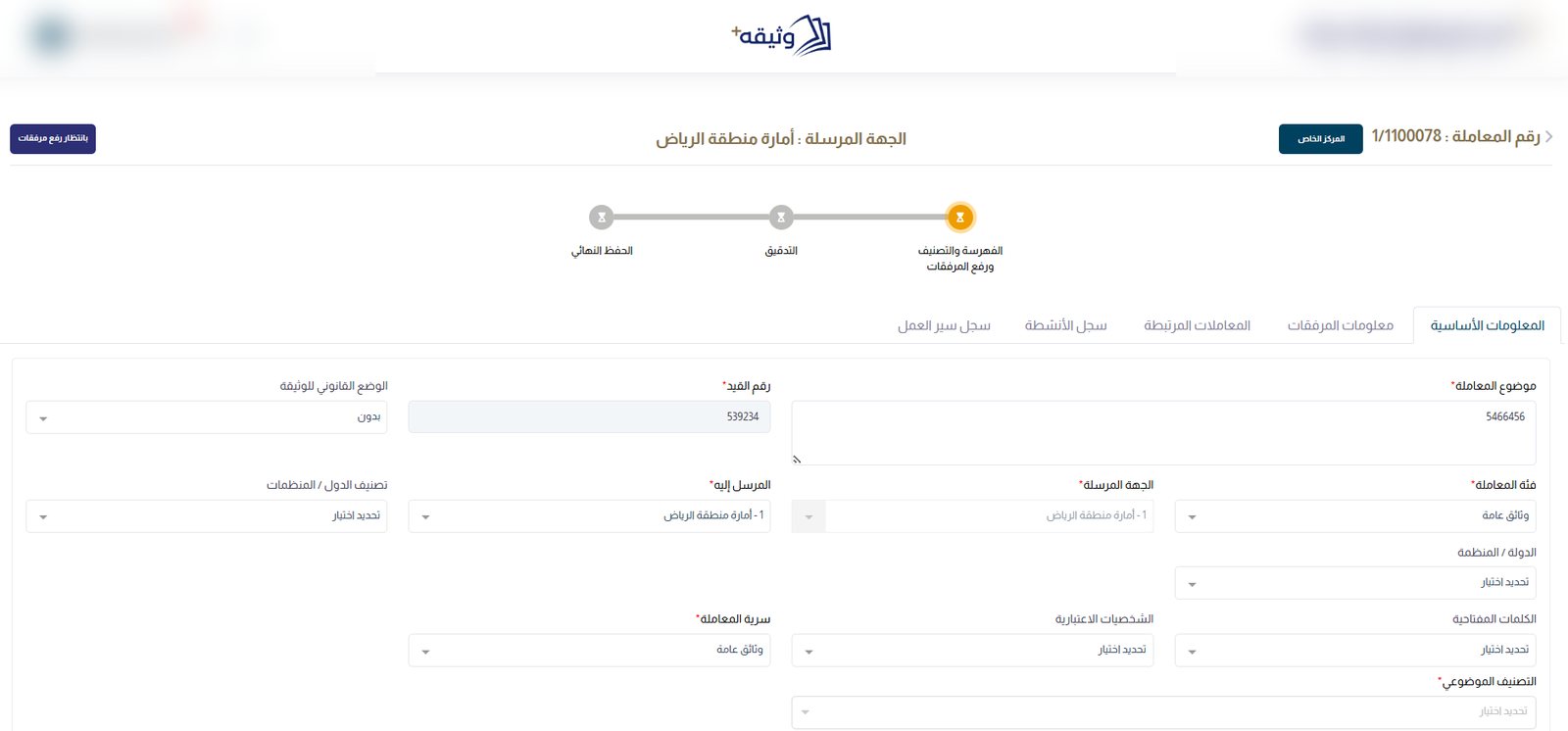
Indexing
Audit
Storage
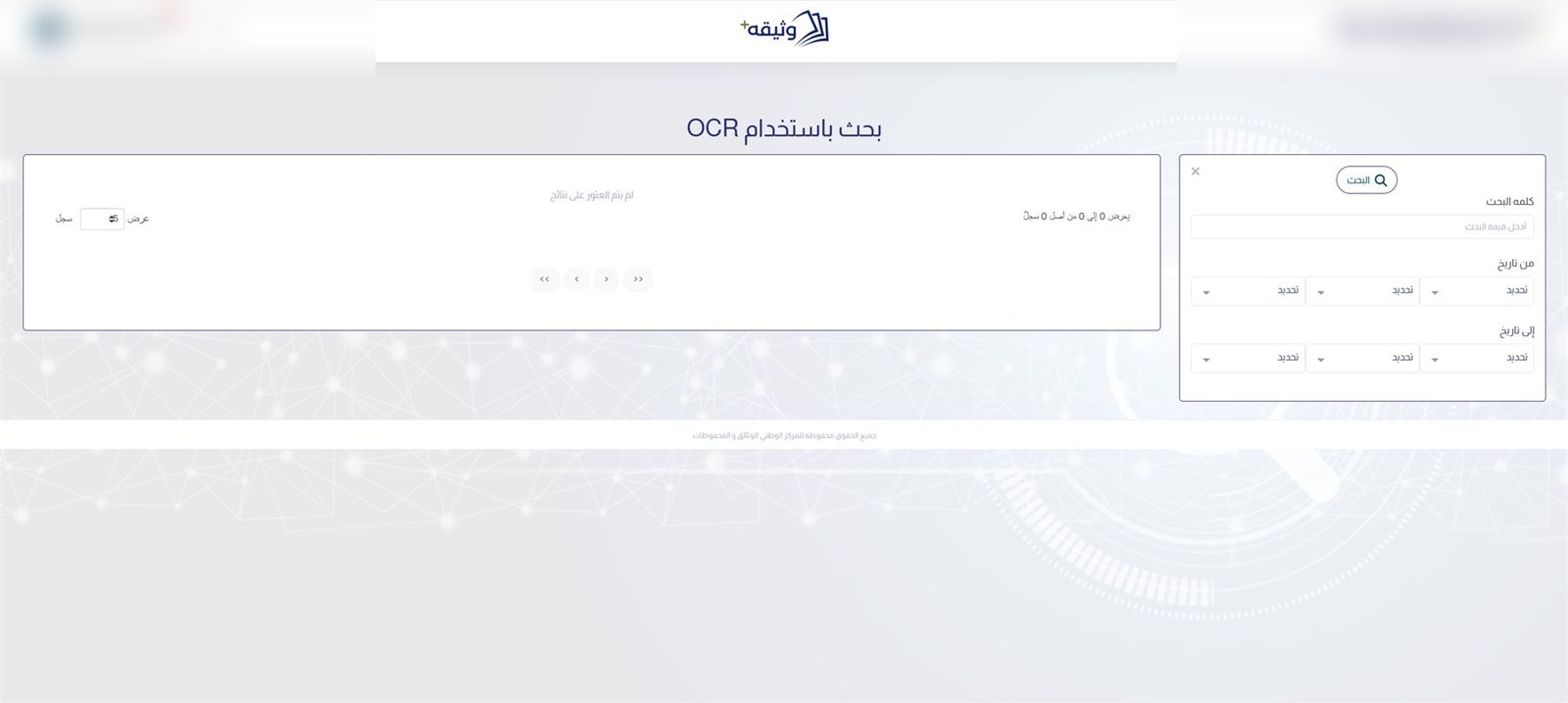
Search inside documents
supply contract
Found in the scanned text · OCR
Best practice
Built on the best practices approved and applied at NCAR
Watheqa+ is built on the records and archive management best practices approved and applied by the National Center for Archives and Records (NCAR) in the Kingdom of Saudi Arabia.
3Workflow stages — indexing, audit and final storage
8Levels of physical location, from city to column
3Ways to search — general, advanced and inside the text
4Dashboards — one for each department and for management
The problem
Where records management breaks down — and how Watheqa+ fixes it
Most archives still depend on memory, paper registers and spreadsheets. Records go missing, get described inconsistently and are kept too long — or not long enough. Here is what changes with Watheqa+.
Today
Records nobody can find
Documents sit in boxes and folders, and finding one means knowing who filed it and where.
With Watheqa+
Found in seconds
General, advanced and OCR search reach any record by its data, or by any word inside the scanned document.
Today
Indexing that differs by clerk
Every employee describes documents their own way, so the same kind of record is filed three different ways.
With Watheqa+
One indexing standard
Unified, mandatory fields — sender, category, secrecy, subject classification and keywords — for every record.
Today
No quality gate
Indexing errors surface months later, on the day someone finally needs the record.
With Watheqa+
Audit before anything is stored
Every record passes an audit stage. Auditors approve it, or return it to indexing with a predefined reason.
Today
Two people, one record
Colleagues work on the same file at the same time and overwrite each other’s changes.
With Watheqa+
Reservation, with automatic release
A record is reserved to one user while they work on it, and released automatically if the reservation expires.
Today
Paper with no known address
The system says a record exists, but not which building, cabinet or shelf holds the original.
With Watheqa+
Tracked to the shelf
Each record is placed from city to building, warehouse, cabinet, shelf, container and column — with barcode and QR labels.
Today
Retention kept in spreadsheets
Nobody knows which records have passed their retention period until an inspection asks.
With Watheqa+
Retention built in
Retention follows the subject classification and secrecy level, and records due for destruction are listed automatically.
Today
Confidential records open to all
Access is all or nothing, so sensitive documents are visible to people who should never see them.
With Watheqa+
Access by role, center and secrecy
Permissions per role and per screen, with visibility limited to each user’s archive center and secrecy level.
Today
Management that sees it too late
Backlogs build up in one department while management waits for a monthly report.
With Watheqa+
Live dashboards
Four dashboards show each department’s output and the backlog at every stage, with export to Excel.
The record journey
Three departments. One controlled path.
Every record moves through the same stages. Each stage has an owner, a status and a clear next step — and every action is logged with who did it and when.
01
Indexing
Indexing departmentAwaiting attachments
Capture the record’s data, scan or import its attachments, and send it to audit.
02
Audit
Audit departmentAwaiting review
Reserve the record, review its data and attachments, then approve it or return it.
03
Final storage
Storage and shelvingAwaiting shelving
Place the record at its physical location, link it to a storage file and close it.
04
Archived
Available to searchArchived
The cycle is complete. The record is ready for search, reports and retention.
Returned for correction — with a reason, and logged
Capabilities
Everything an archive runs on — in one system
Four areas that follow the record — from the first scan to the day its retention ends.
Indexing and capture
5
Unified indexing fieldsSubject, category, sender and recipient, secrecy, subject classification, keywords and entities.
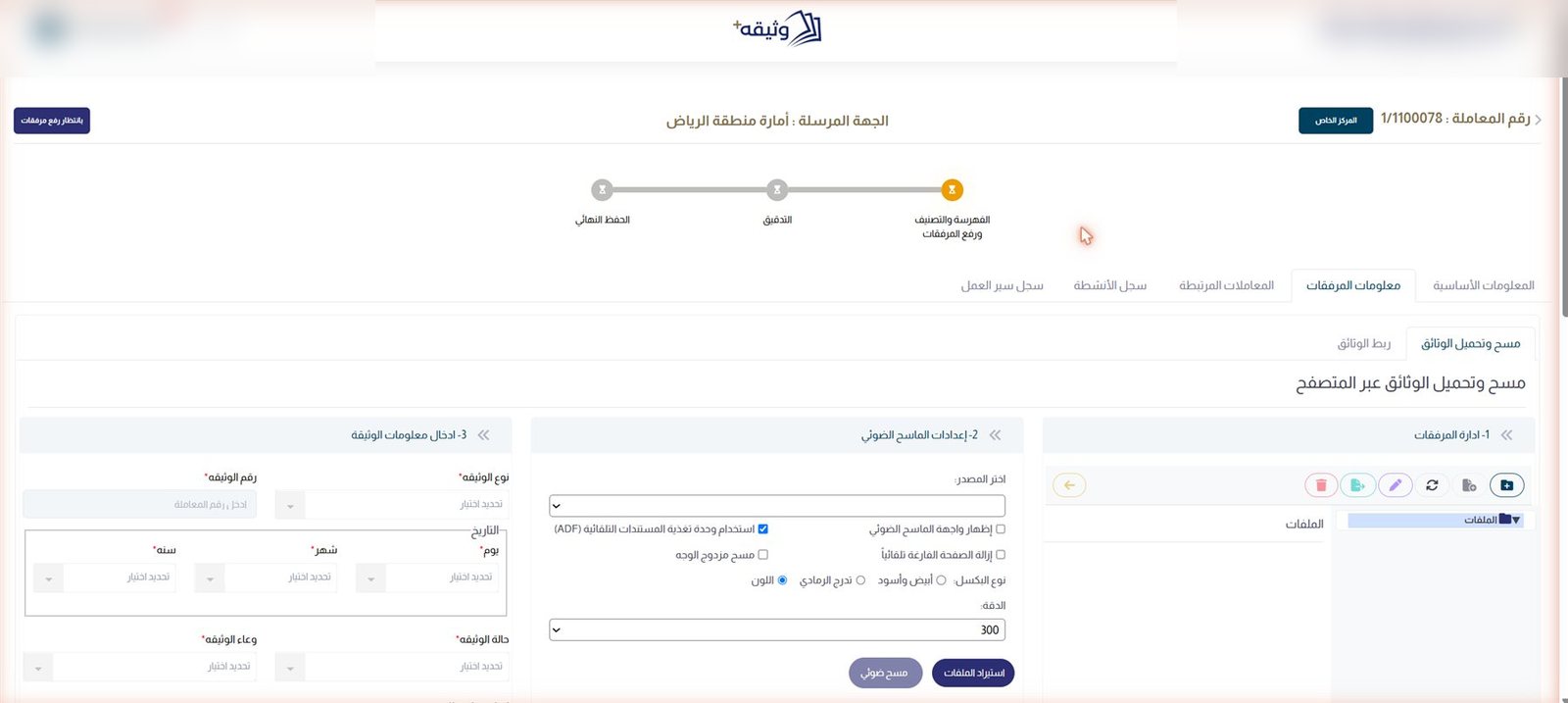
Scanning from the browserChoose the scanner, automatic feeder, duplex, blank-page removal, colour mode and resolution.
Organized attachmentsFolders for each record’s files, with document type, number, date, status and medium.
Linked recordsConnect a record to related records, so the full story is one click away.
Text recognitionArabic and English text is read from attachments automatically, in the background.
Audit and control
4
Structured auditApprove a record for storage, or return it to indexing with a reason from a predefined list.
ReservationOne user works on a record at a time; reservations release automatically when they expire.
Activity logEvery change is saved as a new version — who, what, when and how many edits.
Workflow logA timeline of every step the record took, with Hijri and Gregorian dates.
Storage and retention
5
Physical locationCity, site, building, warehouse, cabinet, shelf, container and column.
Storage filesPhysical files with a set capacity — a new one is opened when the current file is full.
Barcode and QR labelsPrint a label for any record at the moment it is stored.
Retention by classificationA subject classification tree sets retention for each secrecy level.
Ready for destructionRecords that reach the end of retention are listed for a decision.
Search and insight
5
General searchOne box across every record, with scope, filters and suggested searches.
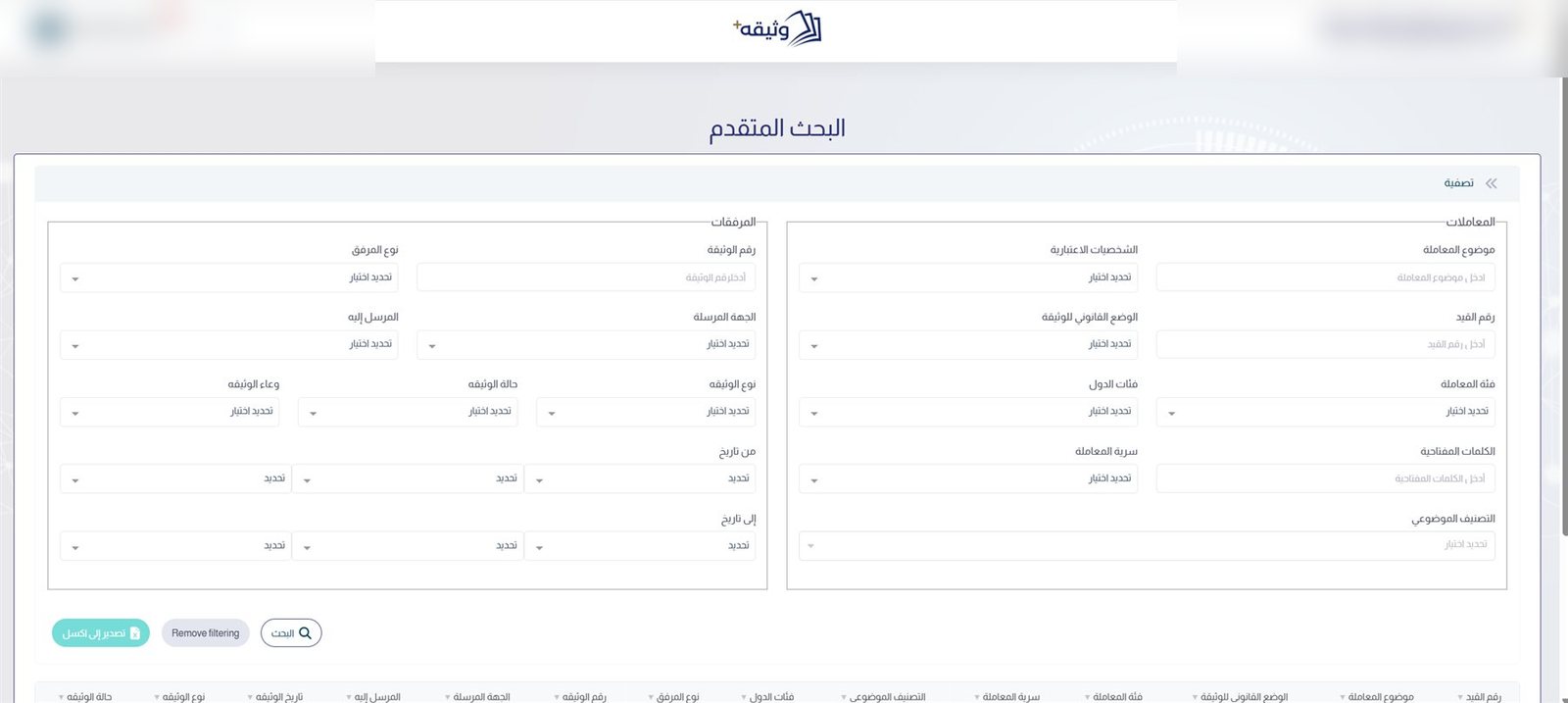
Advanced searchCriteria at record level and attachment level, with exportable results.
OCR searchFind a word that appears inside the document itself — not only in its index data.
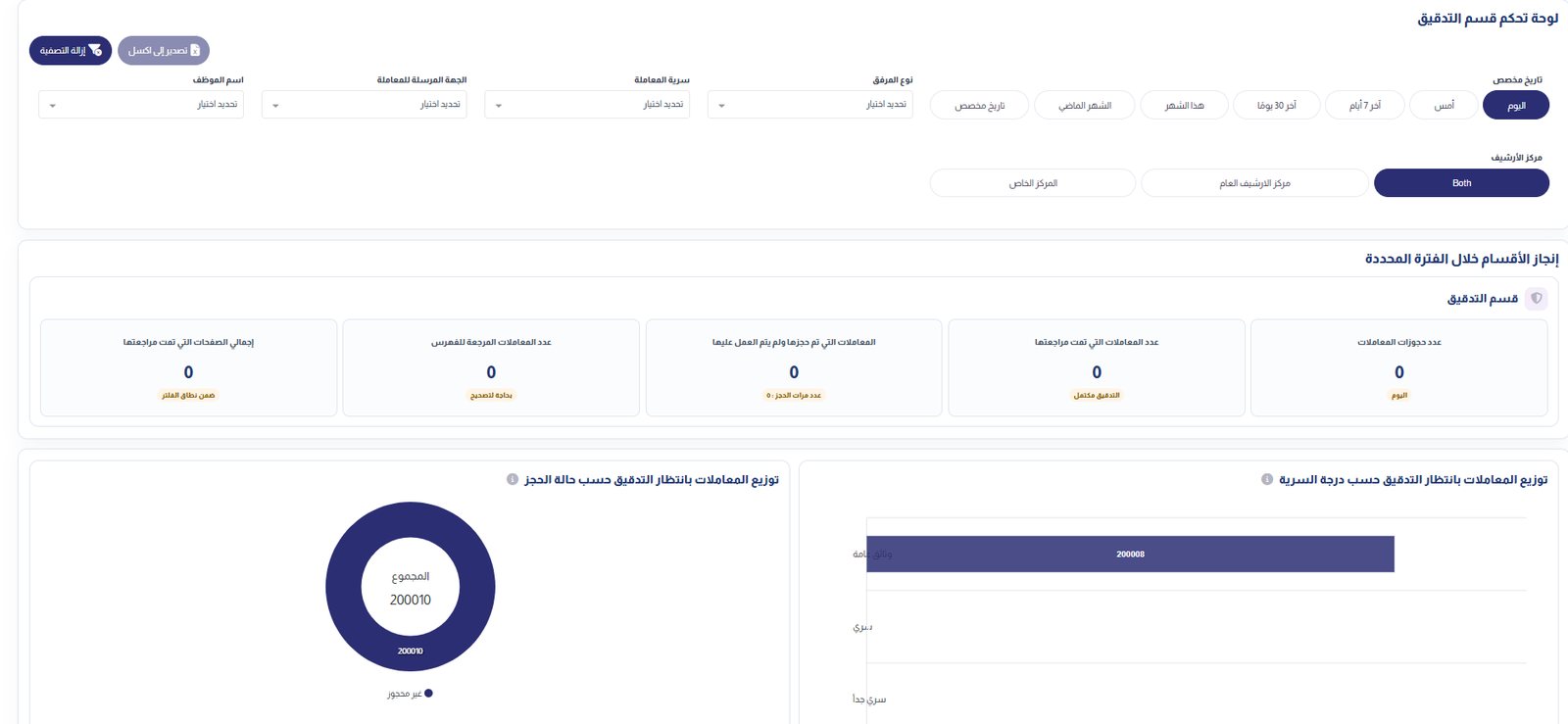
Department dashboardsIndexing, audit, shelving and general management, filtered by period and archive center.
Reports and Excel exportGeneral, category, subject, type and document-type reports — and every export is logged.
The product
Built for the people who do the work
Real Watheqa+ screens, shown with demonstration data.
One screen for the whole record
Every record shows where it stands — indexing, audit or final storage — with its data, attachments, links and logs in one place.
Scanning and attachments
Scan straight from the browser into organized folders, and describe each document as it arrives.
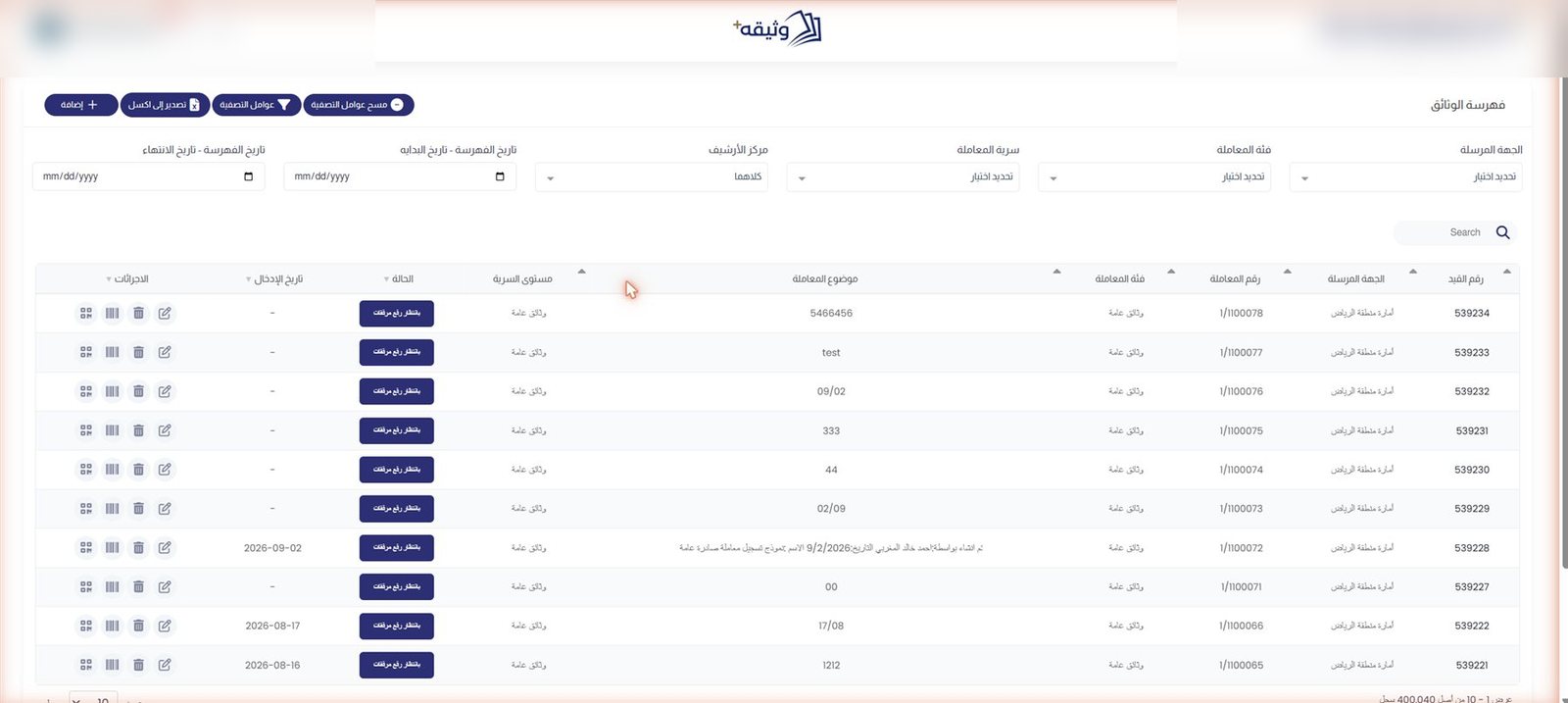
The indexing queue
Records awaiting attachments or correction, filtered by sender, category, secrecy, archive center and date.
Advanced search
Search record data and attachment data together, and export the results.
Search inside documents
OCR search finds words in the scanned text itself, in Arabic and English.
Dashboards
Every department’s output — and every backlog — at a glance
Four dashboards — indexing, audit, shelving and general management — share the same filters, so a department head and the general manager read the same numbers.
The current status of all records, from awaiting attachments to archived
Output per department for any period — today, the last 7 or 30 days, this or last month, or a custom range
Filters by archive center, employee, sender, category and secrecy
Comparison between archive centers, and export to Excel
Security and control
Records open only to those cleared to see them
Access, visibility and every action are governed — and every exit of data from the system is recorded.
Role-based permissions
Per screen: view all or own, create, edit, workflow actions, export and delete.
Secrecy levels
Public, secret and top secret — each user sees only the levels they are cleared for.
Archive center scoping
Users see the records of their own archive center, public or private.
Full activity log
Every change to a record is kept as a version that can be opened and reviewed.
Directory sign-in
System accounts, or network accounts through Active Directory and LDAP.
Login audit
Every sign-in attempt, with its method, status, date and time.
Export log
Who exported what, and when — control over data leaving the system.
Traceable errors
Users see a reference number; support finds the full details behind it.
Arabic and English
A bilingual interface that switches direction with the language.
Administration
Shaped to your archive — without code
The lists and rules behind indexing and storage are managed from the system itself — alongside the archiving regulations library and support tickets.
Archive centers and locations
Public and private centers in a hierarchy, with storage locations down to the column.
Subject classification
A classification tree, with retention periods for each secrecy level.
Media definitions
Reference lists for documents, images, video, audio, manuscripts and maps.
Entities that change names
Senders and recipients linked to their earlier or later names.
Workflow management
Define stages, outcomes and responsible roles; reassign or reopen records when needed.
Notifications
In-app notifications when a record arrives or changes status, plus email templates.
Who it is for
Built for institutions that keep records for a reason
National and government archives
Large collections, strict retention and full traceability.
Ministries and agencies
Registries with confidential records across several archive centers.
Records and document centers
Scanning, indexing and shelving at volume, with quality control.
Enterprises with regulated records
Contracts, legal and personnel files kept, found and retained correctly.
See Watheqa+ on your own records
In about 30 minutes, we walk your team through the full journey — indexing, scanning, audit, shelving and search.